The Difference Between Bluetooth Mouse and Wireless Mouse
Maybe many people still don't know that there are 2 types of mouse without cable, namely bluetooth mouse and wireless mouse.
At first glance, it may be difficult for us to see the difference between a bluetooth mouse and wireless mouse.
These two types of mouse have significant differences. Let's discuss the differences between bluetooth mouse and wireless mouse.
Next, you can decide which is better for your daily work: a Bluetooth mouse or a wireless mouse.
Bluetooth Mouse
As the name suggests, a bluetooth mouse is a type of wireless mouse that uses bluetooth technology to connect to other devices.
Bluetooth is a wireless communication protocol that is useful for connecting or exchanging signals from one device to another over a short distance.
Unlike a wireless mouse which requires a special USB dongle, a bluetooth mouse can be activated just by connecting it to the bluetooth of the laptop or computer you are using.
The advantage of a bluetooth mouse lies in its connectivity which can be connected to various devices that have bluetooth such as laptops, tablets, and smartphones.
Wireless Mouse
A wireless mouse is a type of wireless mouse that does not require cables to connect to a device, but instead uses radio frequency (RF) technology.
Usually, wireless mice are equipped with a USB dongle or receiver as a connection between the mouse and the device you are using, be it a laptop or computer.
Simply connect it via the available USB port, and you can move the cursor via the connected mouse.
The Difference Between Bluetooth Mouse and Wireless Mouse
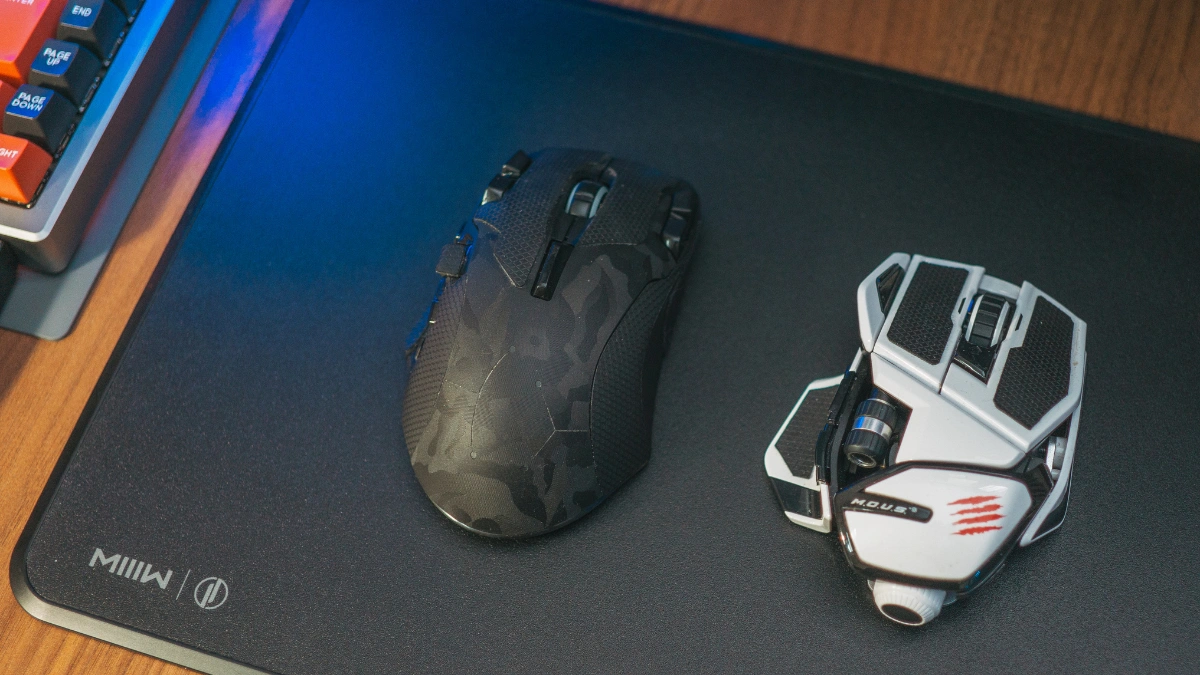
If you want to know which is better, you need to understand the main differences in terms of connectivity, battery life, responsiveness, and user comfort.
The following is a further explanation regarding the differences between a bluetooth Mouse and Wireless Mouse.
1. Connectivity
The main difference between a wireless mouse and a bluetooth mouse lies in the connectivity to the device.
Connectivity on a wireless mouse uses a USB dongle, meaning you have to plug the dongle into the USB port of the device you are using.
Apart from that, USB dongles are currently also available in various types that you can choose. One of them is type C which is most commonly used.
With a bluetooth mouse, however, you only need to activate the bluetooth of the device you are using to start using it.
You can connect a bluetooth mouse to all types of devices that have bluetooth features, be it tablets, smartphones, or laptops.
2. Battery
Next is in terms of batteries. As previously explained, a wireless mouse uses a dongle for connectivity.
So, wireless mice tend to last longer. This is because this mouse is usually powered by rechargeable AA batteries.
Meanwhile, bluetooth mice tend to drain more battery life. This is because the bluetooth feature often drains a lot of device energy, especially if you use it for a long period.
So when the battery runs out, you need to charge or replace the battery so it can be used again.
3. Responsiveness
Generally, wireless mice have superior responsiveness to bluetooth mice. This is because the wireless mouse uses a stable 2.4GHz frequency and can connect up to a fairly long distance of around 10 meters.
On the other hand, bluetooth mice can lag a bit in terms of responsiveness, especially on older devices or in environments with signal interference.
While still convenient without a dongle, bluetooth connections can sometimes experience a bit of lag, especially if you're in a room with lots of other wireless devices that use similar frequencies.
4. Convenience of Use
The final difference is the comfort of use between bluetooth mouse and wireless mouse. The system used in wireless mouse is plug-and-play, meaning that once the USB dongle is installed, the mouse will be immediately connected and ready to use.
This simple method of use makes a wireless mouse an easier choice to understand, even for those of you who are technologically clueless.
Meanwhile, to use a bluetooth mouse, you need to connect it via the bluetooth network on the device you are using.
Although this process may seem a little complicated, bluetooth mice offer convenience when switching devices.
So when the mouse has been installed on a device, the mouse will automatically connect and you can use it immediately.
Which Mouse Should You Choose?
Your choice depends on how and where you work. Here is a simple guide:
- Choose a wireless mouse if you mainly use one laptop or computer and want plug-and-play simplicity.
- Choose a bluetooth mouse if you often switch between a laptop, tablet, and smartphone.
- Think about your ports: If your laptop has few USB ports, a bluetooth mouse saves one for other devices.
- Consider your workspace: In rooms with many wireless devices, a wireless mouse with a dongle may feel more responsive.
Frequently Asked Questions
Can I use a bluetooth mouse with a smartphone?
Yes, as long as the smartphone has bluetooth.
What happens if I lose the USB dongle?
A wireless mouse cannot connect without its dongle or receiver.
Those are some of the differences between bluetooth mouse and wireless mouse that you need to know. Both have their advantages that you can adjust to your needs.
Now you can choose a mouse according to comfort and flexibility in your daily activities.